urls file in django
-
 Amrit Panta
- May 3, 2023, 8:46 p.m.
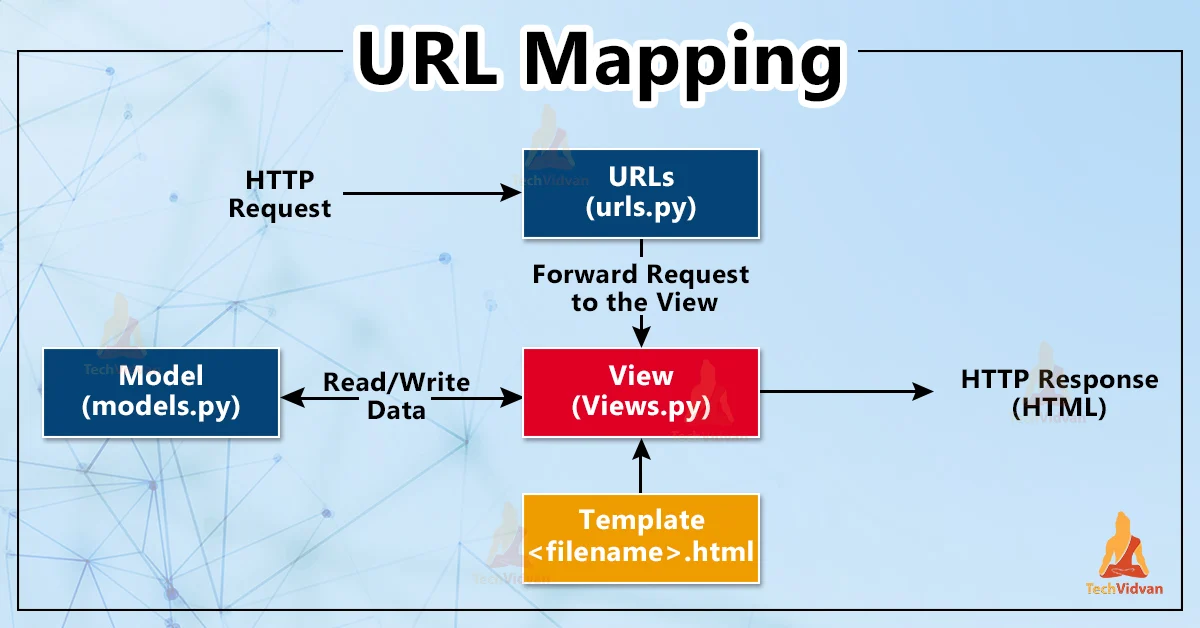
In Django, the urls.py file is a Python module that is used to define URL patterns for your web application. When a user navigates to a URL in your application, Django uses the urls.py file to match the requested URL to a view function or class that will handle the request.
The urls.py file is typically located in the root directory of your Django project, along with the settings.py and wsgi.py files. The file can be divided into two main sections: URL patterns and URL configuration.
syntax:
path(route,views,kwargs=None,name=None)
where, route may take string,<username. form <int:id> e.t.c
views is a function or result od as_view() for class_based views.
URL patterns define regular expressions that match incoming URLs to specific view functions or classes. The syntax for a URL pattern is usually in the form of a regular expression, with capture groups to extract parameters from the URL. For example:
from django.urls import path
from . import views
admin.site.site_header = 'LOGIN'
admin.site.site_title = 'BLOG'
admin.site.index_title = 'BLOG  ADMINISTRATION'

urlpatterns = [
    path('hello/', views.hello_world,{"check":"ok"}), # you can getit in views function parameters just like pk
    path('books/<int:book_id>/', views.book_detail),
    path('books/<str:slug>/', views.book_detail),
    path('books/<uuid:uuid>/', views.book_detail),
    path('books/<path:path>/', views.book_detail),
    path('{% url "services" %}', views.book_detail),
    path('{% url "services" as abc %}', views.book_detail),

]
URL configuration is used to specify additional options for URL patterns, such as the name of the pattern or the namespace. This section is optional and can be omitted if you don't need any additional configuration options. For example:
from django.urls import path
from . import views

app_name = 'library'

urlpatterns = [
    path('books/', views.book_list, name='book_list'),
    path('books/<int:book_id>/', views.book_detail, name='book_detail'),
]
Once you've defined your URL patterns, you need to include them in the project's main URL configuration. This is usually done in the urls.py file located in the project's main directory. For example:
from django.urls import path, include

urlpatterns = [
    path('admin/', admin.site.urls),
    path('library/', include('library.urls')),
    path("peak-type/", PeakCategoryAPIView.as_view({'get': 'list'})),
]
In the above example, the include function is used to include the URLs defined in the urls.py file of the library app. This makes all the URLs defined in the library app available under the /library/ prefix.
overall structure of urls.py file in django
from django.contrib import admin
from django.urls import path, include, re_path
from django.views.static import serve
from django.conf.urls.static import static
from django.conf import settings
from django.contrib.staticfiles.url import staticfiles_urlpatterns

urlpatterns = [
    path('admin/', admin.site.urls),
    path("api/", include("accounts.api.urls")),

]

urlpatterns += static(settings.MEDIA_URL, document_root=settings.MEDIA_ROOT)
urlpatterns += static(settings.STATIC_URL, document_root=settings.STATIC_ROOT)
urlpatterns+=staticfiles_urlpatterns

#urlpattern to handle static file
urlpatterns += [
    re_path(r'^static/(?P<path>.*)$', serve,
            {'document_root': settings.STATIC_ROOT}),
]