views file in django
-
 Amrit Panta
- May 3, 2023, 8:55 p.m.
In this tutorial we will learn about the views.py file in django.
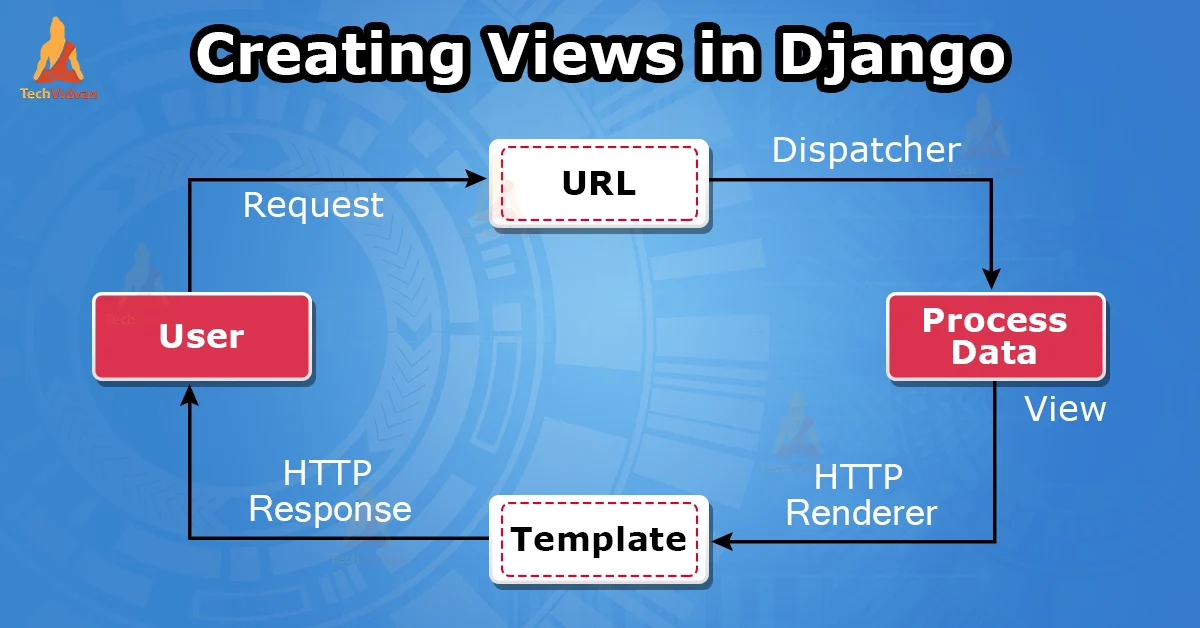
This file is used to create view.we write all the business login related code in this file. it takes web request and return web response.
In Django, views.py is a Python module that contains the functions or classes that handle HTTP requests and return HTTP responses. A view function or class receives an HTTP request from a client, processes the request, and returns an HTTP response. The response can be a web page, JSON data, or any other type of data that can be served over HTTP.
Views are the heart of a Django web application, and they are responsible for implementing the business logic of your application. They can perform a wide range of tasks, such as querying the database, rendering templates, generating PDF files, sending emails, and more.
Views can also receive data from the client in the form of HTTP parameters, such as query parameters, form data, and JSON data. They can use this data to perform various operations and return a customized response. Here's an example of a view function that receives a parameter from the URL:
Here is an example of a simple view function that returns a plain text response:
from django.http import HttpResponse

def hello_world(request):
    return HttpResponse('Hello, world!')
Django also supports class-based views, which provide a more object-oriented approach to handling HTTP requests. Class-based views are defined as Python classes that inherit from Django's built-in View class or one of its subclasses. Here is an example of a class-based view :
from django.views import View
from django.http import HttpResponse

class HelloWorldView(View):
    def get(self, request):
        return HttpResponse("Hello, World!")
There are other various class based views , which will be discuss later.